
In Talenta Performance, there is a Competency menu that allows you to determine competencies based on job positions, assess competencies using a review cycle, and view the results in a chart. Before learning how to manage Competency Assignments, make sure that you have set up Competency first. Learn how to Set Up Competency here.
The following is a guide on how to manage Competency Assignments:
Log in to your Talenta Performance account. In the "Talents" menu, select Competency.
On the "Competency" tab, click Assignment.
Then, click “Create assignment”.
-
You will then be directed to the following page. Complete the blank fields before clicking “Submit”.
No. Field/Button Name Description 1 Assignment name Enter the name of this assignment. 2 Job position Select the job positions for which you want to determine competencies. You can select more than one job position here. 3 Add competency group Click to add a competency group that you created previously. 4 Select job level Select the job level for which you want to determine the target score. 5 Add job level Click to add another job level. 6 Select group Select the competency group assigned to the job position. 7 Select rating Determine the target score for each competency group. -
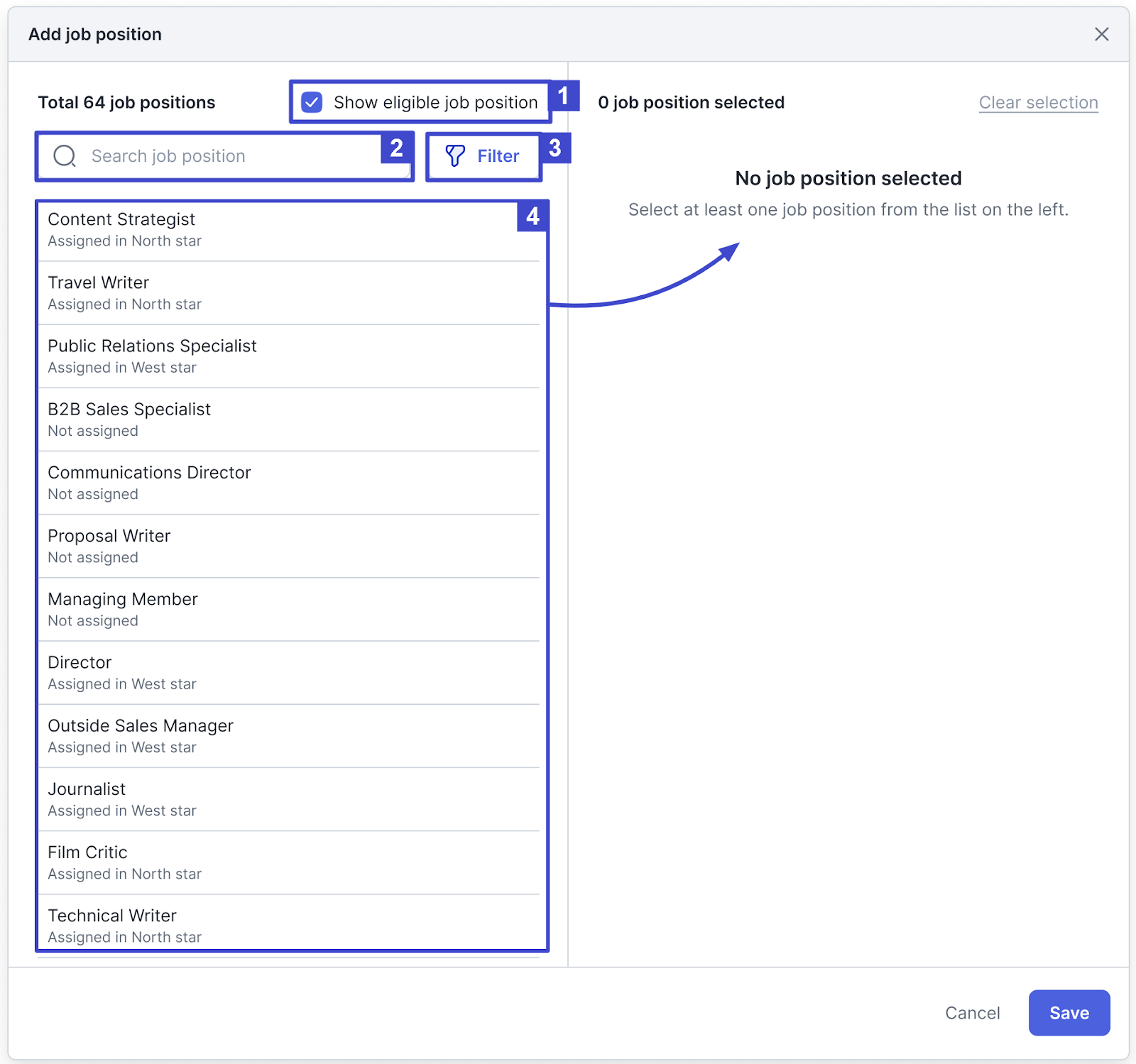
The following is the screen that appears when you click Add job position, which you need to manage before selecting “Save”.
No. Field/Button Name Description 1 Show eligible job position Check this option to enable the filter feature for eligible job positions only. 2 Search bar Use this feature to search for the name of the job position you want to select. 3 Filter Click to filter by Branch or Organization as shown in the following image, then click “Apply filter” to apply the filter.
4 Job position list Click one of the job positions in the list, and that job position will move to the Selected job position section on the right. -
Once you have “Submitted” the Assignment, you will be directed to the following page and the “Assignment created” notification will appear. This page stores the entire list of created Assignments.
One (1) job position can only be included in one (1) Assignment, meaning that a job position that already has a Competency Assignment cannot be included in another Assignment.
In the Assignment list, you can Edit assignment and Delete assignment.
-
If you select Edit assignment, you will be directed to the following page, where you can change the information in the Assignment. Click “Delete assignment” to delete the Assignment.
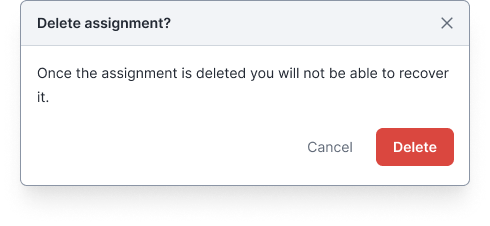
- A deletion confirmation pop-up will appear as follows. Click “Delete” to continue deleting.
You can then view the Competency Assessment results by clicking the Home menu.
In the All employees section, click “See all employees”.
-
The employee’s Competency Assessment screen will then appear as follows.
You can view your own Competency Assessment and those of other employees by clicking the employee’s name.

This concludes the guide on how to manage Competency Assignments in Talenta Performance. Next, you can learn how to create a New Review Cycle and view Review Results here.